#65924 closed enhancement (fixed)
Set Site Icon background color to transparent
| Reported by: | w3bdsgn | Owned by: | tyxla |
|---|---|---|---|
| Priority: | normal | Milestone: | 7.1.1 |
| Component: | Toolbar | Version: | 7.1 |
| Severity: | minor | Keywords: | has-patch has-test-info dev-reviewed |
| Cc: | Focuses: |
Description (last modified by )
Hello,
In load-styles.php:
Set background to transparent, otherwise round icons have an unwanted background color. This is especially apparent when using a dark menu theme.
I suggest to change
#wpadminbar #wp-admin-bar-site-name>.ab-item .site-icon {
   background: #f0f0f1;
}
to
#wpadminbar #wp-admin-bar-site-name>.ab-item .site-icon {
    background: transparent;
}
Best regards,
Alexander
Attachments (11)
Change History (46)
#1
 @
3 months ago
- Component Menus → Toolbar
- Summary Set background color to transparent → Set Site Icon background color to transparent
#3
 @
3 months ago
- Milestone → 7.1.1
Milestoning for 7.1.1 as 7.1 added the site icon to the admin bar.

This ticket was mentioned in PR #13229 on WordPress/wordpress-develop by @audrasjb.
3 months ago
#4
- Keywords has-patch added
@audrasjb commented on PR #13229:
3 months ago
#5
Tested using a semi-transparent PNG set as the site icon.
Before:
After:
#6
 @
3 months ago
Test Report
Patch tested: https://github.com/WordPress/wordpress-develop/pull/13229
Environment
- WordPress: 7.2-alpha-63166-src
- Subdirectory: No
- PHP: 8.3.33
- Server: nginx/1.31.4
- Database: mysqli (Server: 8.4.11 / Client: mysqlnd 8.3.33)
- Browser: Chrome 151.0.0.0
- OS: Windows 10/11
- Theme: Twenty Twenty-Five 1.5
- MU Plugins: None activated
- Plugins:
- Test Reports 1.3.1
Steps taken
- Add a site icon via Settings > General and save changes.
- Observe the site icon in the admin bar before and after the patch.
- ✅ Patch is solving the problem
Expected result
- Rounded and semi-transparent site icons shouldn't have a background to make sure they blend in with the rest of the admin background color.
Additional Notes
- None
Screenshots/Screencast with results
- Screenshot before:

- Screenshot after:
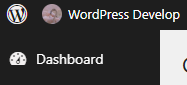
#7
@
3 months ago
Also, does the current wording in the site icon section sound like only square icons are acceptable?

#8
 @
3 months ago
What do you think of this change to the text:
The Site Icon appears in browser tabs, bookmark bars, and within the WordPress mobile apps. It must have a square aspect ratio (1:1) and be at least 512 × 512 pixels.
#9
 @
3 months ago
I recall that this background color was intentional. If the site icon's background color became transparent, the black logo would blend in with the admin bar, making it difficult to see. In other words, fixing one thing would create another problem. Unfortunately, I don't think there's an ideal solution, as icons of all colors might be rendered there. Personally, I find the current background color an acceptable compromise for all scenarios.
cc @fushar @joen
#10
follow-up:
↓ 11
@
3 months ago
A well-designed website icon or favicon should work on both light and dark backgrounds and provide sufficient contrast. It should be neither completely white nor completely black. Wikipedia, for example, uses a dark letter icon with a white, slightly rounded background. This way, the website icon works on all types of backgrounds. Therefore, I don’t believe it’s the CMS’s job to set a background color or try to fix contrast issues with specific website icons.
 @
3 months ago
General Settings: Site Icon with dark image, in Fresh admin scheme, with OS dark mode, in trunk
@
3 months ago
General Settings: Site Icon with dark image, in Light admin scheme, with OS light mode, in trunk
@
3 months ago
General Settings: Site Icon with light image, in Fresh admin scheme, with OS dark mode, in trunk
@
3 months ago
General Settings: Site Icon with light image, in Light admin scheme, with OS light mode, in trunk
@
3 months ago
older WordPress versions had used the Site Icon in the Post Editor against a dark background
@
3 months ago
how WordPress 6.5 showed a dark icon image against both light and dark backgrounds (in General Settings)
@
3 months ago
Some of the Site Title is visible on small screens in WordPress 7.1 (icon image has light gray background color)
#11
in reply to: ↑ 10
@
3 months ago
- Description modified (diff)
A well-designed website icon or favicon should work on both light and dark backgrounds and provide sufficient contrast.
Ultimately, yes, the image needs to have sufficient contrast against both light and dark backgrounds. However, even make.wordpress.org uses a transparent PNG with a dark logo and no background.
A lack of contrast, either dark against dark or light against light, would make the link quite unusable on smaller screens. A similar link in the post editor for older WordPress versions could have been invisible. [62625] allowed some of the Site Title to show next to the image, so the toolbar link should not be completely invisible right now, but it's still not easily recognizable.
#12
@
3 months ago
A note on the text: it is used also in wp-includes/class-wp-customize-manager.php.
#13
 @
3 months ago
Test Report
Patch tested: PR #13229
Environment
- WordPress: 7.2-alpha-63166-src
- PHP: 8.3.33
- Server: nginx
- Database: MySQL
- Browser: Chrome
- OS: Windows 11
- Theme: Twenty Twenty-Five
- MU Plugins: None activated
- Plugins: Test Reports 1.3.1
Steps to Test
- Go to Settings > General.
- Add a site icon and save the changes.
- Check the site icon displayed in the admin bar.
- Compare the appearance before and after applying the patch.
Test Result
Patch is solving the issue.
Expected Result
Rounded and semi-transparent site icons should not have an additional background, allowing them to blend naturally with the admin bar background.
@fushar commented on PR #13229:
3 months ago
#14
Can we also update the site icon preview in Settings -> General? See this PR, which I worked on independently before seeing this PR 😄
#16
 @
3 months ago
Sorry @wildworks I somehow didn't get email notifications for your mention, and seems like @joen also missed it. I ended up filing a duplicate ticket because I was bothered with it: https://core.trac.wordpress.org/ticket/65974
I agree completely that we should remove the additional white background. In many cases, it breaks the brand identity which has specific site icon shape.
If we're moving forward with this, @audrasjb can we also incorporate my PR changes https://github.com/WordPress/wordpress-develop/pull/13229 which also removes the site icon background on Settings -> General?
@ugyensupport commented on PR #13229:
3 months ago
#17
Tested against local Studio (WP trunk/SQLite)
Verified the fix works as intended.
Setup: Applied the patch to both admin-bar.css and the minified admin-bar.min.css (the admin bar loads the concatenated/minified bundle via load-styles.php). Set a semi-transparent PNG as the site icon and measured the icon's computed background-color:
| State | Computed background-color
|
|---|---|
| Before patch | rgb(240, 240, 241) (#f0f0f1)
|
| After patch | rgba(0, 0, 0, 0) (transparent)
|
Before/after:
| Before | After |
|---|---|
| light-gray square visible behind icon | icon blends cleanly into the dark admin bar |
Note for other testers: if you're testing on a site with the Gutenberg plugin active, its command-palette.php compat shim inlines its own stale duplicate of the admin-bar CSS (including the old #f0f0f1 rule) directly into a <style> tag in <head>. That masks this fix — the background will still appear even with the patch correctly applied to core. Deactivating Gutenberg confirmed the core fix is correct in isolation.
Also checked admin-bar-rtl.css, which still has the old rule — expected, since RTL files are build-generated (RTLCSS), not hand-edited per PR.
No regressions found in the surrounding admin-bar rules. 👍
#18
 @
3 months ago
Indeed I did not get a notification, however I did get one just now from you @fushar. And I would just agree with what's already on track in this discussion: let's remove the background.
 @
3 months ago
Admin Bar site icon before patch — semi-transparent icon shown with the #f0f0f1 background square (PR #13229 test)
@
3 months ago
Admin Bar site icon after patch — background removed, icon blends into the dark admin bar (PR #13229 test)
#19
@
3 months ago
Test Report
Patch tested: https://github.com/WordPress/wordpress-develop/pull/13229
Environment
- WordPress: trunk (7.1-alpha, SQLite)
- Server: PHP 8.5.8 built-in dev server
- Browser: Chromium (Playwright)
- OS: macOS
Steps taken
- Set a semi-transparent PNG (512×512, ~50% alpha) as the Site Icon via Settings > General.
- Viewed the Admin Bar and measured the icon's computed
background-colorbefore and after applying the patch toadmin-bar.css/admin-bar.min.css.
Test Result
Patch is solving the problem.
- Before: computed
background-color=rgb(240, 240, 241)(#f0f0f1) - After: computed
background-color=rgba(0, 0, 0, 0)(transparent)
Expected result
Rounded and semi-transparent site icons shouldn't have a background, so they blend in with the rest of the admin bar background color.
Additional Notes
If testing on a site with the Gutenberg plugin active, note that its command-palette.php compat shim inlines its own stale duplicate of the admin-bar CSS (including the old #f0f0f1 rule) directly into a <style> tag in <head>, which can mask this fix in the browser even when the patch is correctly applied to core. Deactivating Gutenberg confirmed the core fix is correct in isolation.
Also checked admin-bar-rtl.css, which still has the old rule — expected, since RTL stylesheets are build-generated (RTLCSS) rather than hand-edited per PR.
Screenshots with results
Before:

After:

#20
 @
3 months ago
- Keywords has-test-info added
Patch Testing Report
Patch tested: PR https://github.com/WordPress/wordpress-develop/pull/13229
Environment
- WordPress: 7.1
- PHP: 8.3.33
- Server: nginx
- Database: MySQL
- Browser: Chrome
- OS: Windows 11
- Theme: Twenty Twenty-Five
- MU Plugins: None activated
- Plugins: None activated
Steps to Test
- Go to Settings > General.
- Add a site icon and save the changes.
- Check the site icon displayed in the admin bar.
- Compare the appearance before and after applying the patch.
- ✅ Patch is solving the problem: The site icon no longer has an additional background, allowing rounded and semi-transparent icons to blend naturally with the admin bar background.
Expected Result
- Rounded and semi-transparent site icons should not have an additional background.
- The site icon should blend naturally with the admin bar background.

This ticket was mentioned in Slack in #core by adrianduffell. View the logs.
2 months ago
#22
 @
2 months ago
This was discussed in today’s bug scrub for 7.1.1. It looks like next steps are to find an owner for the ticket and also reviews for the PR: https://github.com/WordPress/wordpress-develop/pull/13229
@adrianduffell commented on PR #13229:
2 months ago
#23
Can we also update the site icon preview in Settings -> General? See this PR, which I worked on independently before seeing this PR
@fushar What are the issues you see in Settings > General?
This ticket was mentioned in Slack in #core by adamsilverstein. View the logs.
2 months ago
@adamsilverstein commented on PR #13229:
2 months ago
#25
Please note the RC for 7.1.1 is September 10th if we want it included in that version. Otherwise it is fine to punt to 7.1.2.
@fushar commented on PR #13229:
2 months ago
#26
@fushar What are the issues you see in Settings > General?
My PR also removes the background from the site icon preview, so that it matches the actual behavior. I'm copying the image from the PR here:
@fushar commented on PR #13229:
2 months ago
#27
Please note the RC for 7.1.1 is September 10th if we want it included in that version.
I think this is good for 7.1.1. The fix is straightforward and contained. Let's do it :)
#28
 @
2 months ago
- Owner set to
- Status new → assigned
Thanks for your work on this one, folks. I'm picking this one up to take it home.
#30
@
2 months ago
- Resolution fixed
- Status closed → reopened
Reopening to backport to the 7.1 branch
#33
@
2 months ago
- Keywords dev-feedback added
- Resolution fixed
- Status closed → reopened
[63553] already committed the change to the 7.1 branch, but that should have had the double sign-off. If another committer agrees with the change, please approve it.
#34
 @
2 months ago
- Keywords dev-reviewed added; dev-feedback removed
- Resolution → fixed
- Status reopened → closed
Approving for backport to 7.1.
@tyxla Can you review the process for merging to branches? All merges to any branch requires double-committer sign off, and there's also a formal structure for the commit messages. See https://make.wordpress.org/core/handbook/best-practices/commit-messages/#reviewed-by-and-merges for details.


Can be reproduced, for example, by using an image with a circulare shape and a transparent background.