Opened 13 hours ago
Last modified 5 hours ago
#65031 accepted defect (bug)
User Edit Screen Displays Misaligned Password Dashicon in WordPress 7.0-RC2
| Reported by: |
|
Owned by: |
|
|---|---|---|---|
| Milestone: | 7.0 | Priority: | normal |
| Severity: | normal | Version: | trunk |
| Component: | Administration | Keywords: | needs-testing has-patch admin-reskin |
| Focuses: | ui, css, administration | Cc: |
Description
An alignment issue has been identified with the password dashicon on the user edit screen in WordPress 7.0-RC2.
Attachments (2)


Change History (10)
#2
 @
@
9 hours ago
- Keywords needs-testing has-patch admin-reskin added
- Milestone changed from Awaiting Review to 7.0
- Owner set to audrasjb
- Status changed from new to accepted

This ticket was mentioned in PR #11463 on WordPress/wordpress-develop by @ankitkumarshah.
7 hours ago
#3
#4
 @
@
7 hours ago
Hi @rajdiptank111,
I tried applying your patch, but unfortunately ran into an error while doing so (screenshot attached):

I also attempted to apply the changes manually, but noticed a regression—specifically, the patch seems to introduce a layout issue on /wp-admin/options-writing.php (screenshot attached for reference):
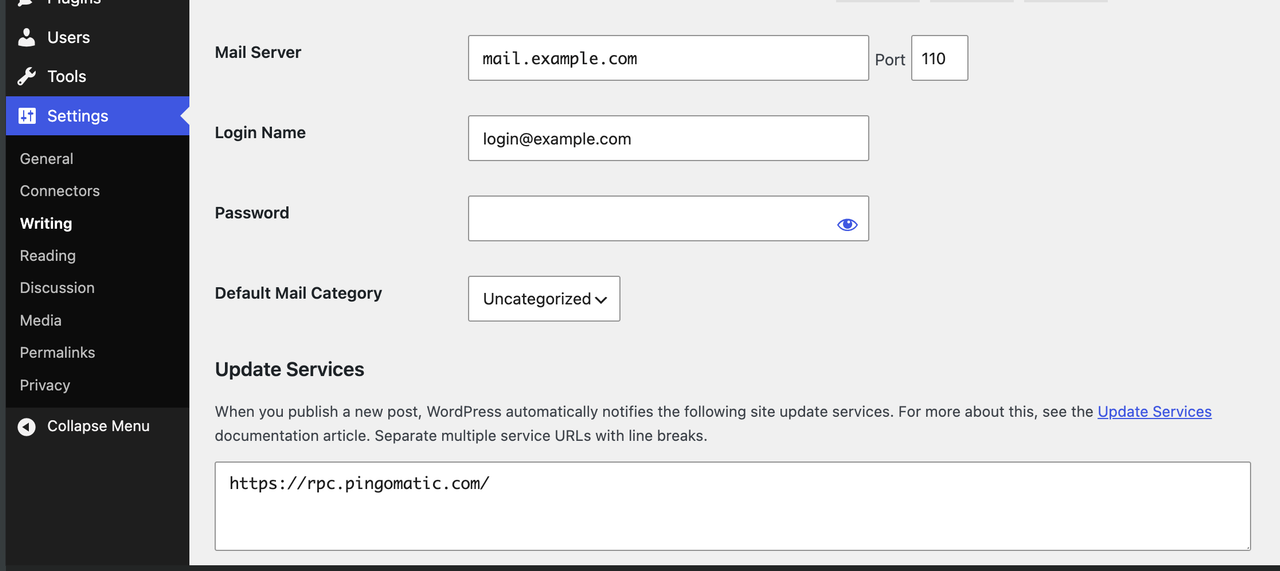
To address this, I’ve created a PR with a fix:
https://github.com/WordPress/wordpress-develop/pull/11463
Could you please test it when you get a chance and let me know if this works for you?
Thank you!
cc: @audrasjb

This ticket was mentioned in Slack in #core-test by r1k0. View the logs.
6 hours ago
andrewssanya commented on PR #11463:
5 hours ago
#6
Before:
After:
andrewssanya commented on PR #11463:
5 hours ago
#7
Before:
After:
@andrewssanya commented on PR #11463:
5 hours ago
#8
Patch Tested: https://core.trac.wordpress.org/ticket/65031
Environment
- WordPress: 7.0-RC2
- PHP: 8.0.30
- Server: PHP.wasm
- Database: WP_SQLite_Driver (Server: 8.0.38 /
- Browser: Chrome 146.0.0.0
- OS: macOS
- Theme: Twenty Twenty-Five 1.4
- MU Plugins: None activated
- Test Reports 1.2.1
Steps taken
- Clicked users
- Choose a partial user
- Edit user profile
- Set a new password
Screenshots/Screencast with results
Before:
After:
I was able to identify the issue and found a solution. Removing or adjusting the following two CSS lines resolves the problem.
.wp-core-ui .button.wp-hide-pw > .dashicons{
line-height: 1;
vertical-align: middle;
}